Retail
Your Great Vault this week
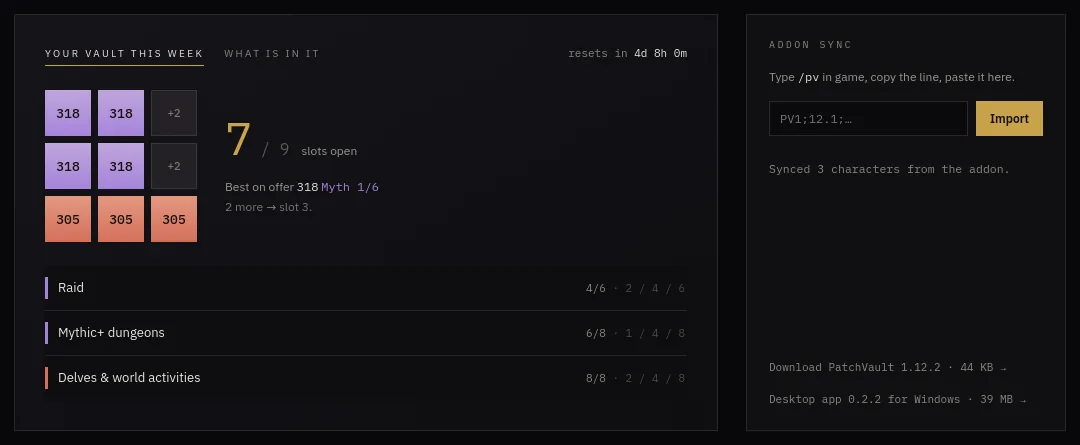
Nine squares that fill as you clear raid bosses, Mythic+ keys and delves. Each row shows how far along it is and what the next slot pays, the best item level on offer, and a countdown to the reset.
 Go to the Retail home page →
What is in your vault
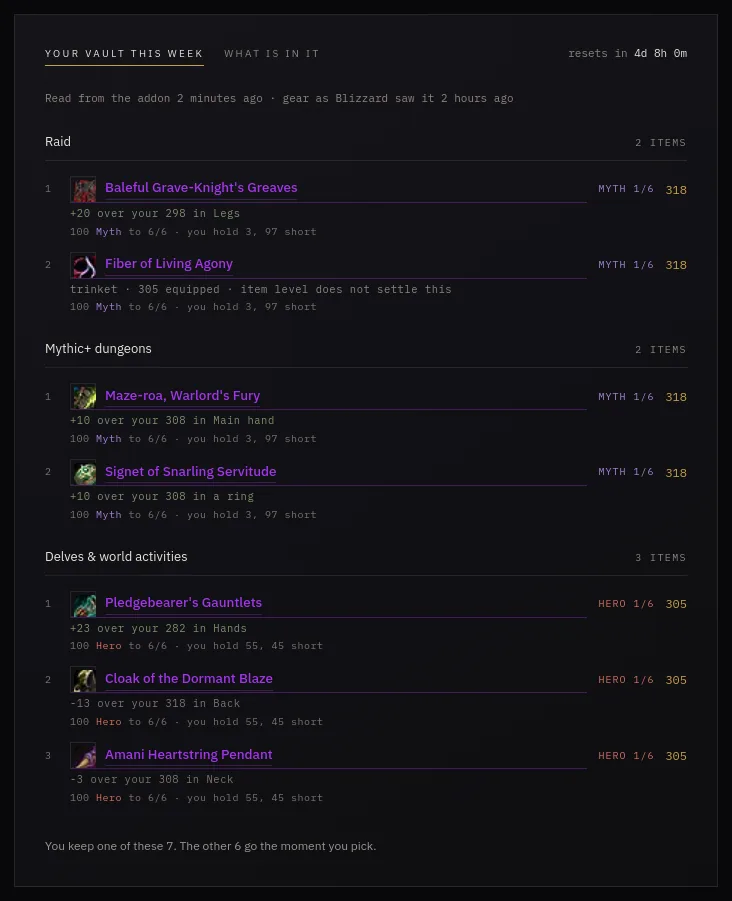
Once the vault has rolled, the addon sends what is on offer. Every item is set against what you are wearing, so "+20 over your legs" stands out, with the crests the upgrade costs and how many you hold.
 Go to the Retail home page →
Every alt's week at once
One line per character: open vault slots, item level, Mythic+ rating, crests per tier (red when you are at the cap and wasting them) and the nearest vault slot you could still finish.
 Go to Characters →
Character sheets from Battle.net
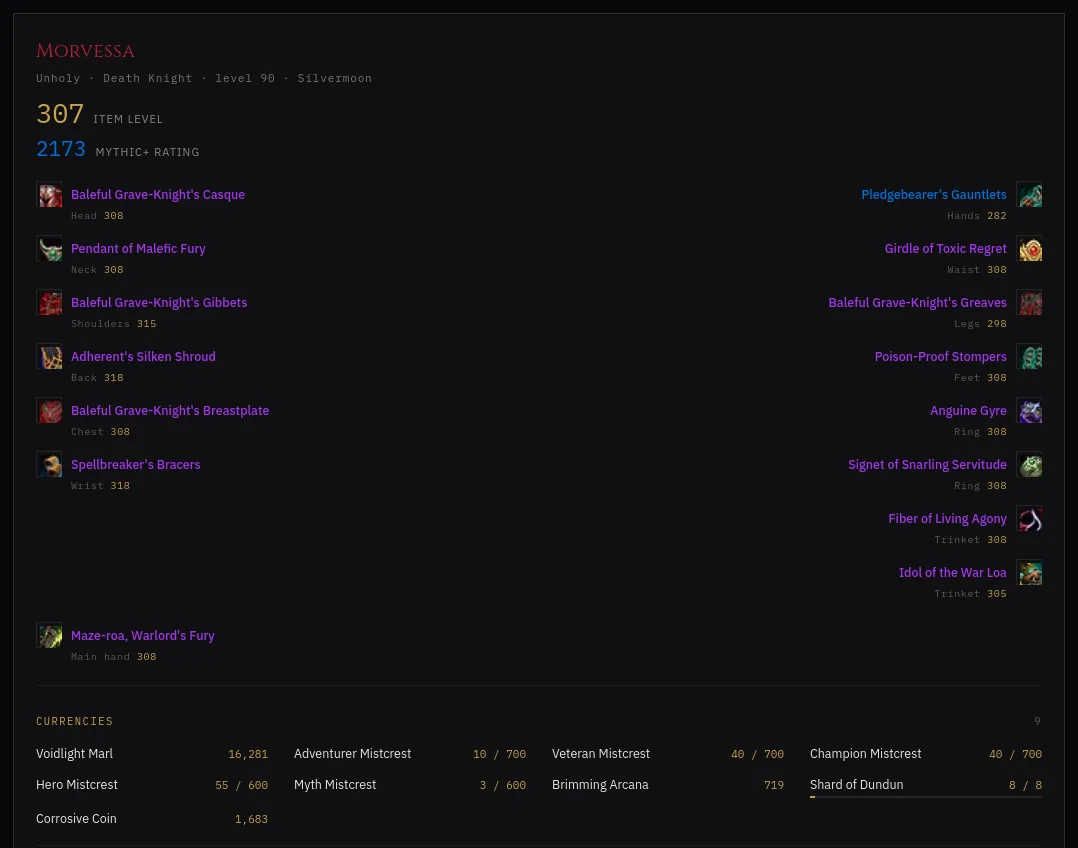
Sign in with Battle.net and your characters are read from Blizzard: gear with Wowhead tooltips, this season's Mythic+ runs, renown and reputation. The addon adds your currencies, which Blizzard's API cannot give.
 Go to Characters →
Loot and item level
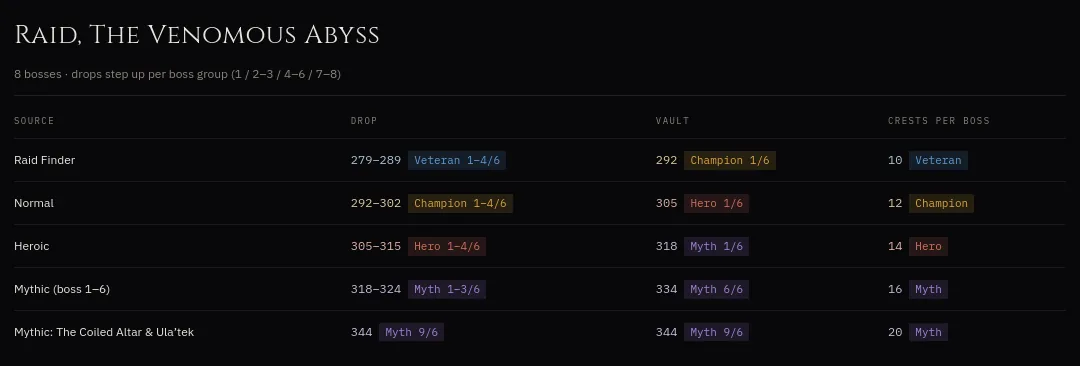
Every source of gear side by side: what it drops, what the vault pays, on which upgrade track, and the crests each rank costs.
 Go to Loot & iLvl →
Delves
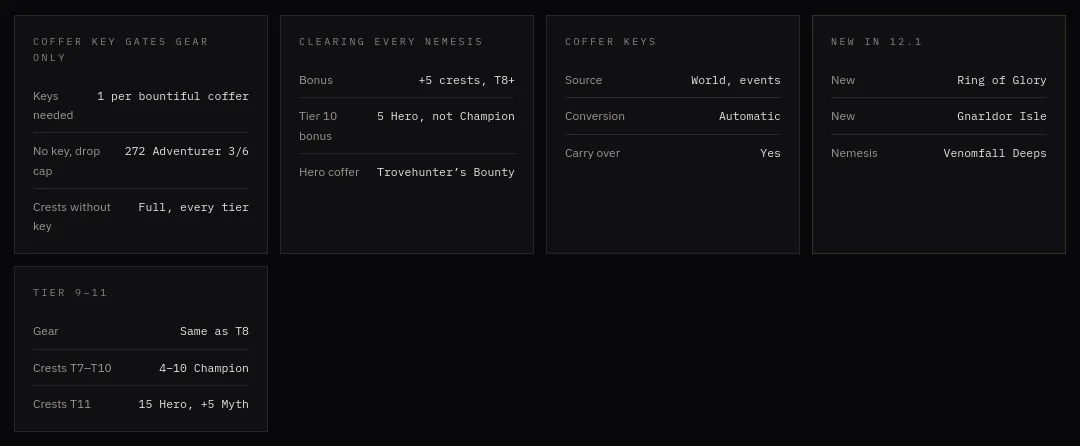
Which tier pays what, how coffer keys gate the best loot, and what is new this patch.
 Go to Delves →
Classes
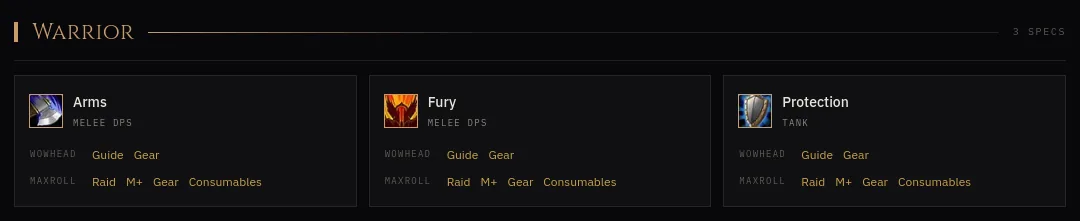
Every class and spec with its role, and straight links to the guides, gear lists, Mythic+ and raid pages worth reading.
 Go to Classes →
Your reset, your region
EU or US decides when your week rolls over, and the site counts down to your reset, not someone else's.
Go to Settings →
WoW Forever
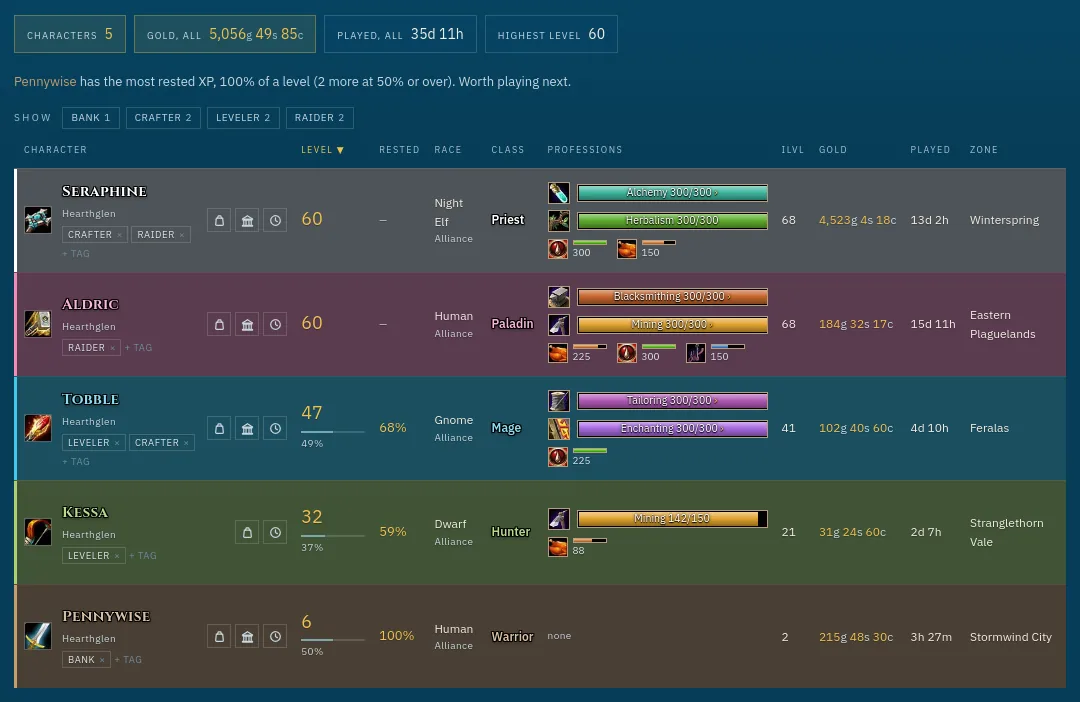
All your characters in one table
Level and XP, rested XP, race and class, professions with their skill bars, item level, gold, time played, zone and when each one last synced. Sort any column, tag alts (Bank, Crafter, Leveler) and filter by tag. It also names the alt with the most rested XP.
 Go to the Forever home page →
The character sheet
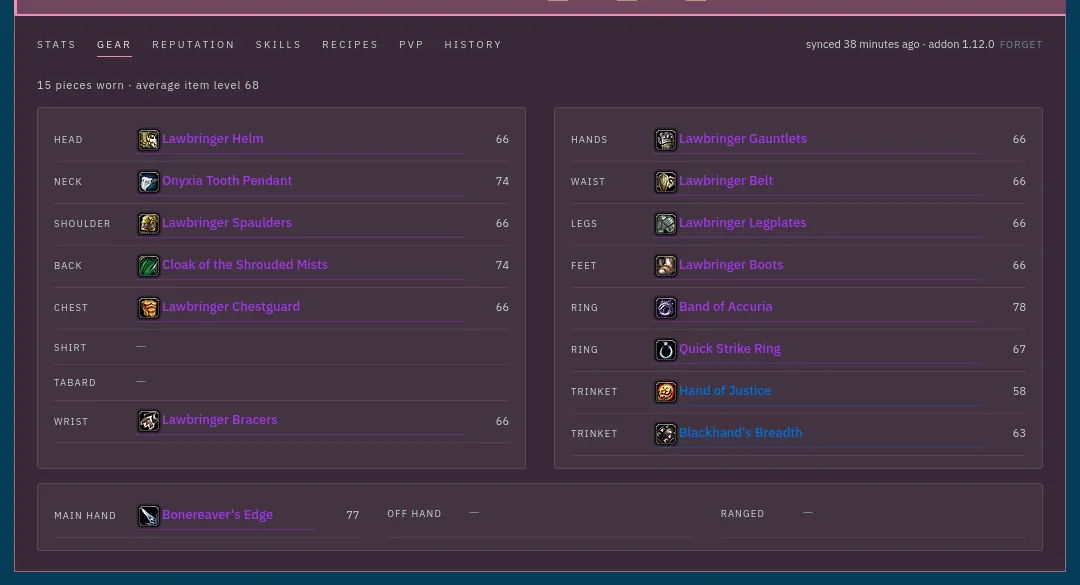
Click a character for its sheet: stats, every equipped item with its item level, reputation, skills, recipes, PvP rank and history. Exactly as the addon read them in game.
 Go to the Forever home page →
Bags and bank
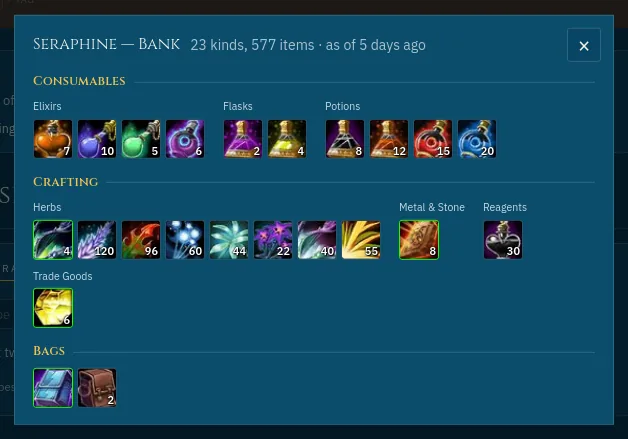
Each character's bags and bank as the game draws them: icons with stack counts, quality borders, grouped into consumables, crafting materials, quest items and the rest. The bank is as fresh as your last visit to it.
 Go to the Forever home page →
Find an item
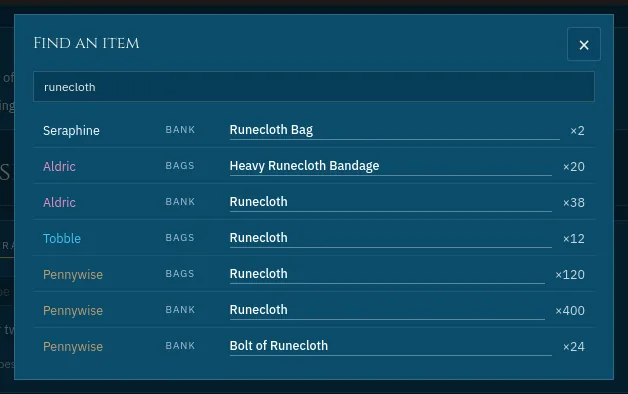
Type a name and see every character that has it, worn, in the bags or in the bank, and how many.
 Go to the Forever home page →
Reputation across alts
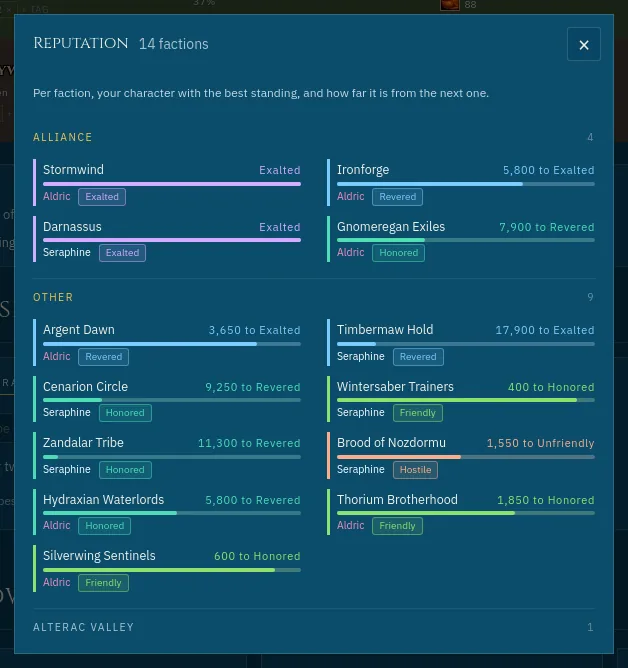
Per faction, which of your characters stands best with it, and how far that one still is from the next standing.
 Go to the Forever home page →
Professions, account-wide
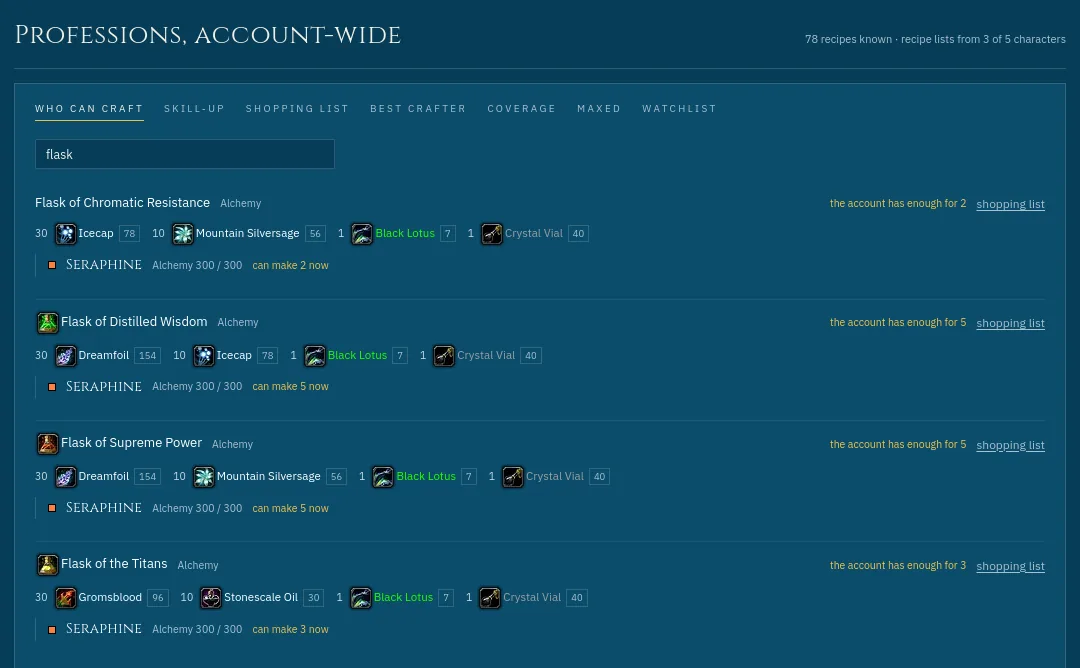
Every character's recipe lists read together. Who can craft this? What gives a skill-up next? A shopping list of reagents, with what your bags and banks already hold. Plus the best crafter per trade, what nobody covers yet, and a watchlist.
 Go to the Forever home page →
History
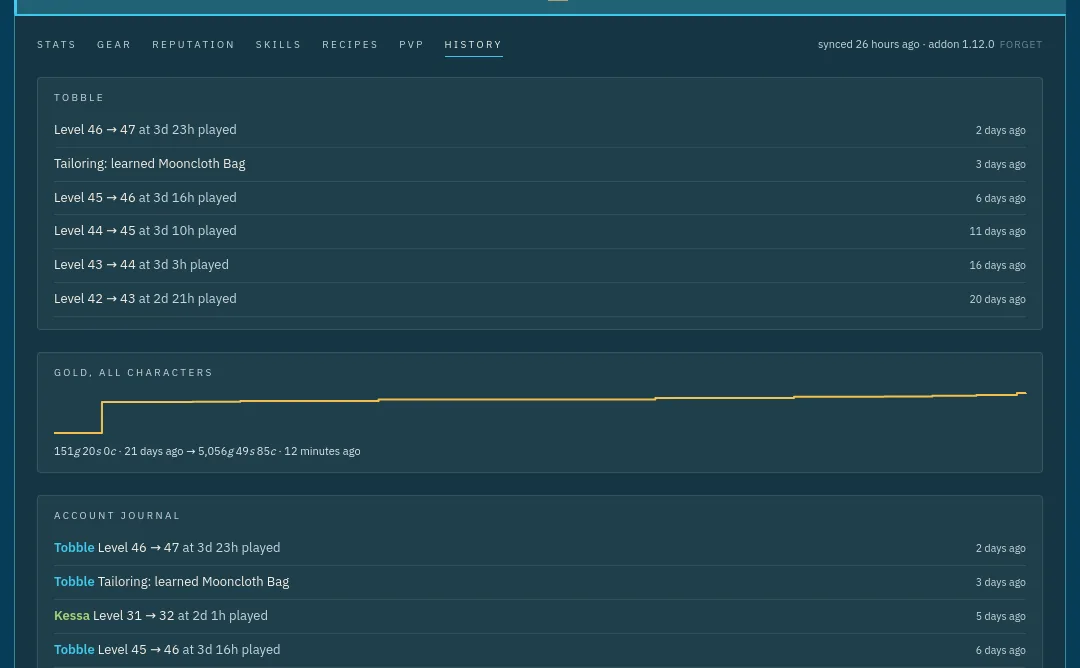
Every level-up with its /played at the ding, gold over time, trades maxed and recipes learned, per character and for the whole account.
 Go to the Forever home page →
Next alt
Which professions none of your characters has yet, so the next alt can fill the gap.
Go to the Forever home page →
Share your professions
One read-only link to every character's professions, for a guild or a friend looking for a crafter: they search "who can make this" across all your alts. Or share just one character. You pick who is in it, gold, gear and bags never are, and stopping kills the link.
Go to the Forever home page →
Level together
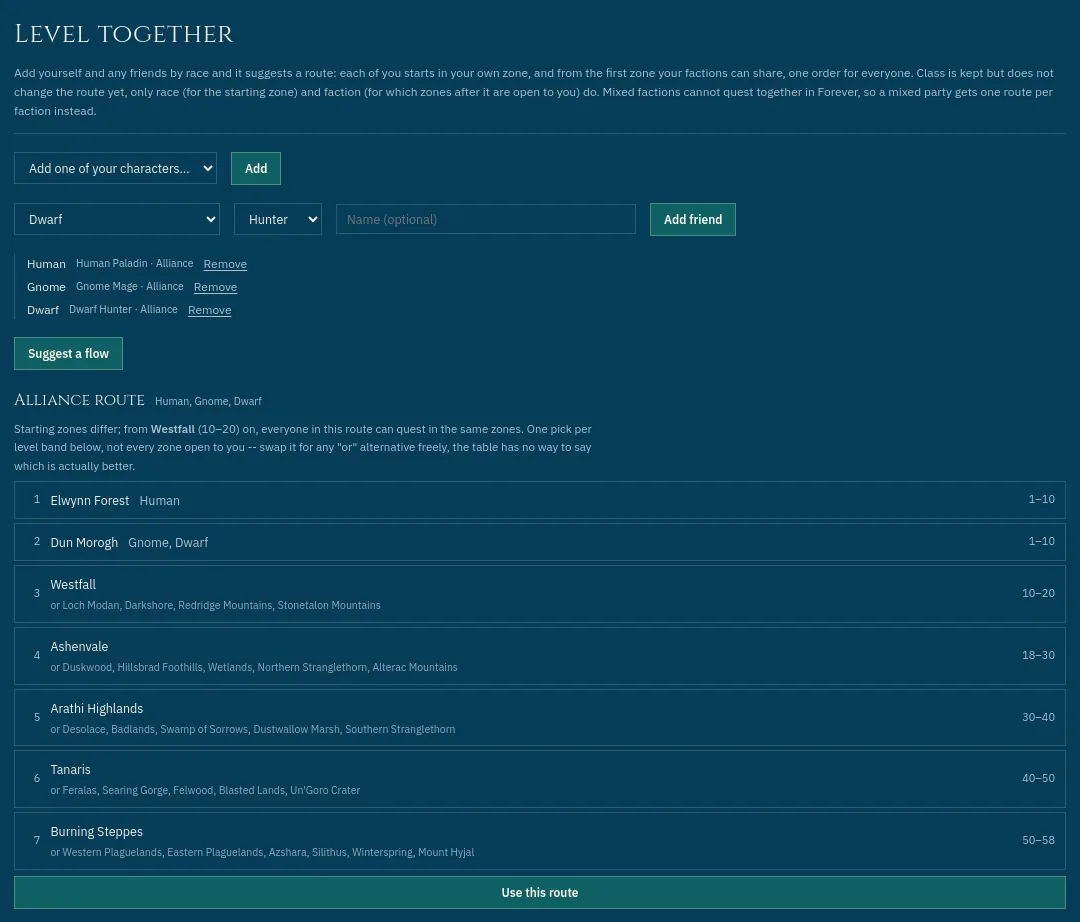
Every zone by level band and faction. Add your party by race and class and it suggests one route for all of you, from each starting zone to the first zone you share. Or build and save a route of your own.
 Go to Forever Zones →
Dungeons and raids
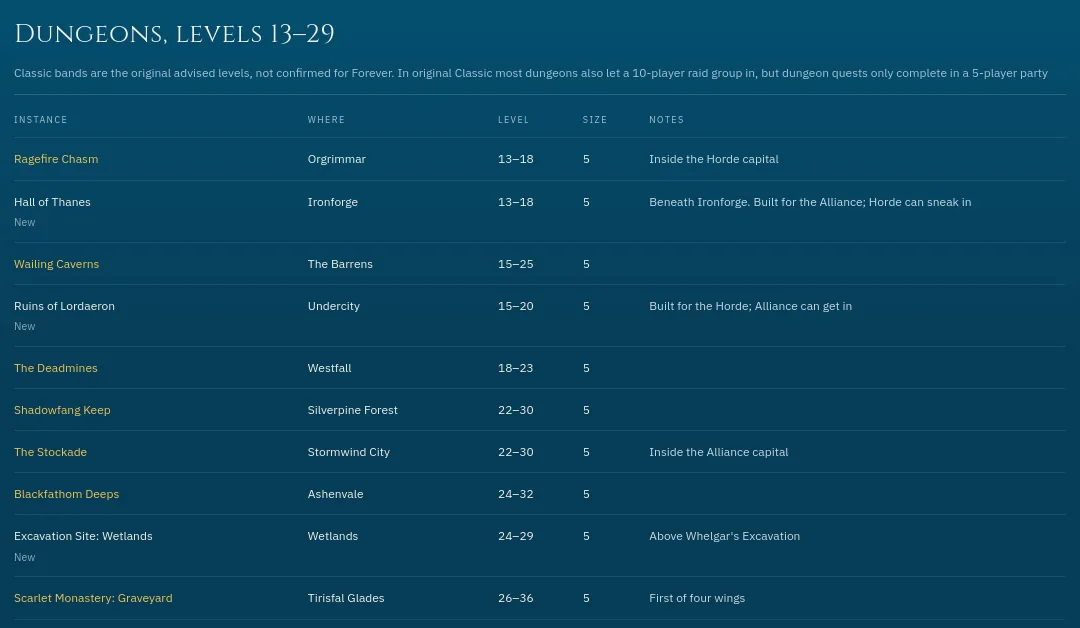
Every instance with its level range, group size and where it is, with Forever's new ones marked.
 Go to Forever Dungeons & raids →
Everywhere
The addon
PatchVault reads what the game itself shows: your vault, currencies, character sheet, bags and bank, and the recipes of every profession window you open. Type /pv, copy the line, paste it on the site.
The desktop app
For Windows. Pair it once with your account and it sends every character at each logout. Nothing to copy or paste, ever.
Go to Account →
An account, if you want one
The site works without one: everything stays in your browser. With an account (email or Battle.net) it follows you to every device, and you can download or delete all of it from the Account page.
Go to Account →
Renamed characters
When a character's name changes, the site spots the old and new card and offers to merge them. Tags, history and recipes move over, on every device.
Try it first
The preview shows the whole site with demo characters, for Retail and for Forever, before you install anything.
Go to Preview →
Private by design
No ads, no tracking of you across days, nothing sold. The privacy page lists every single thing that is stored and for how long.
Go to Privacy →